Resolution
Creating a New Resolution Item
Access the Scheduled Meeting
On the MeetingPal Home Page, locate the left-hand menu. Select Meetings.
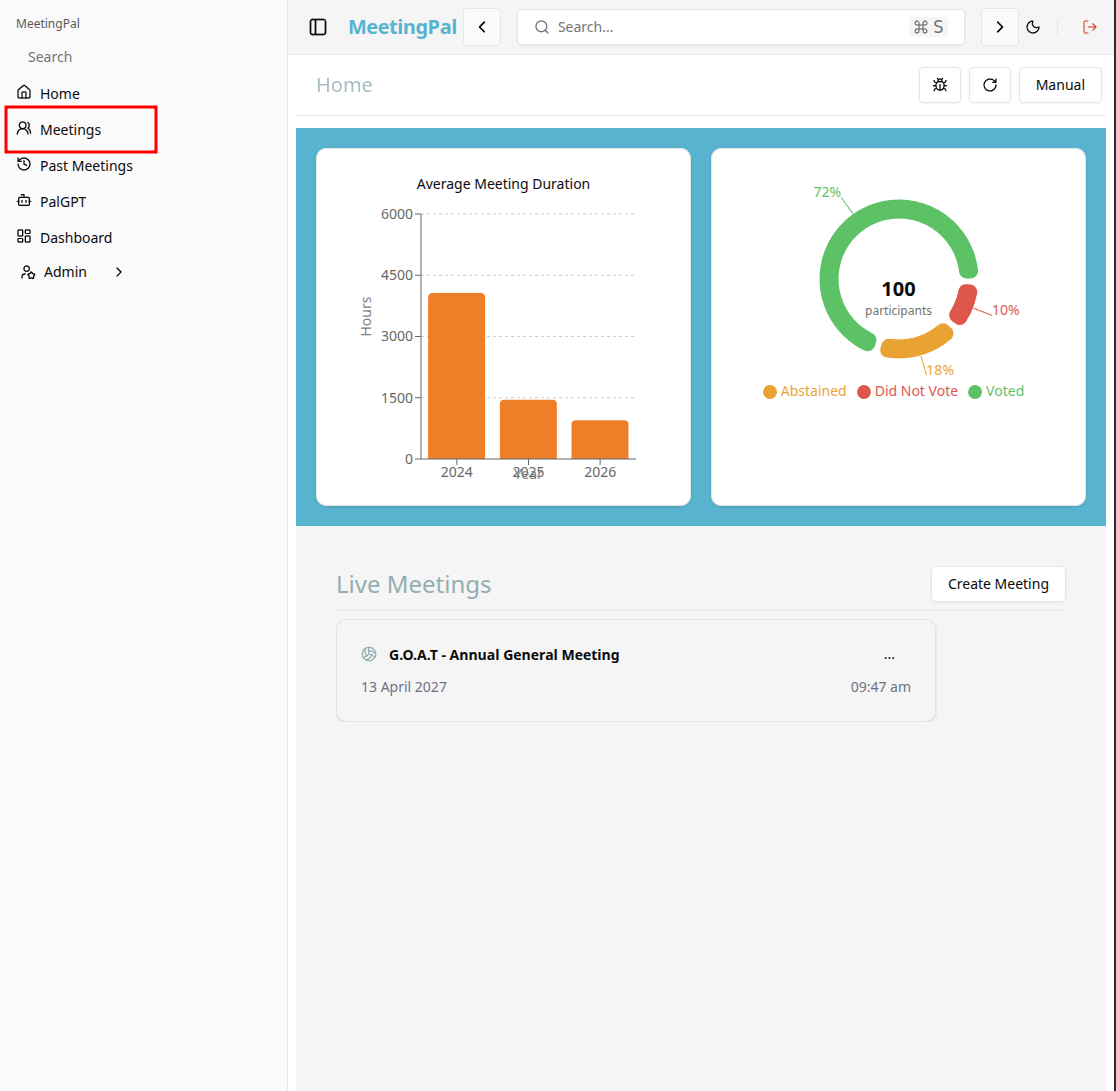
Start editing the meeting
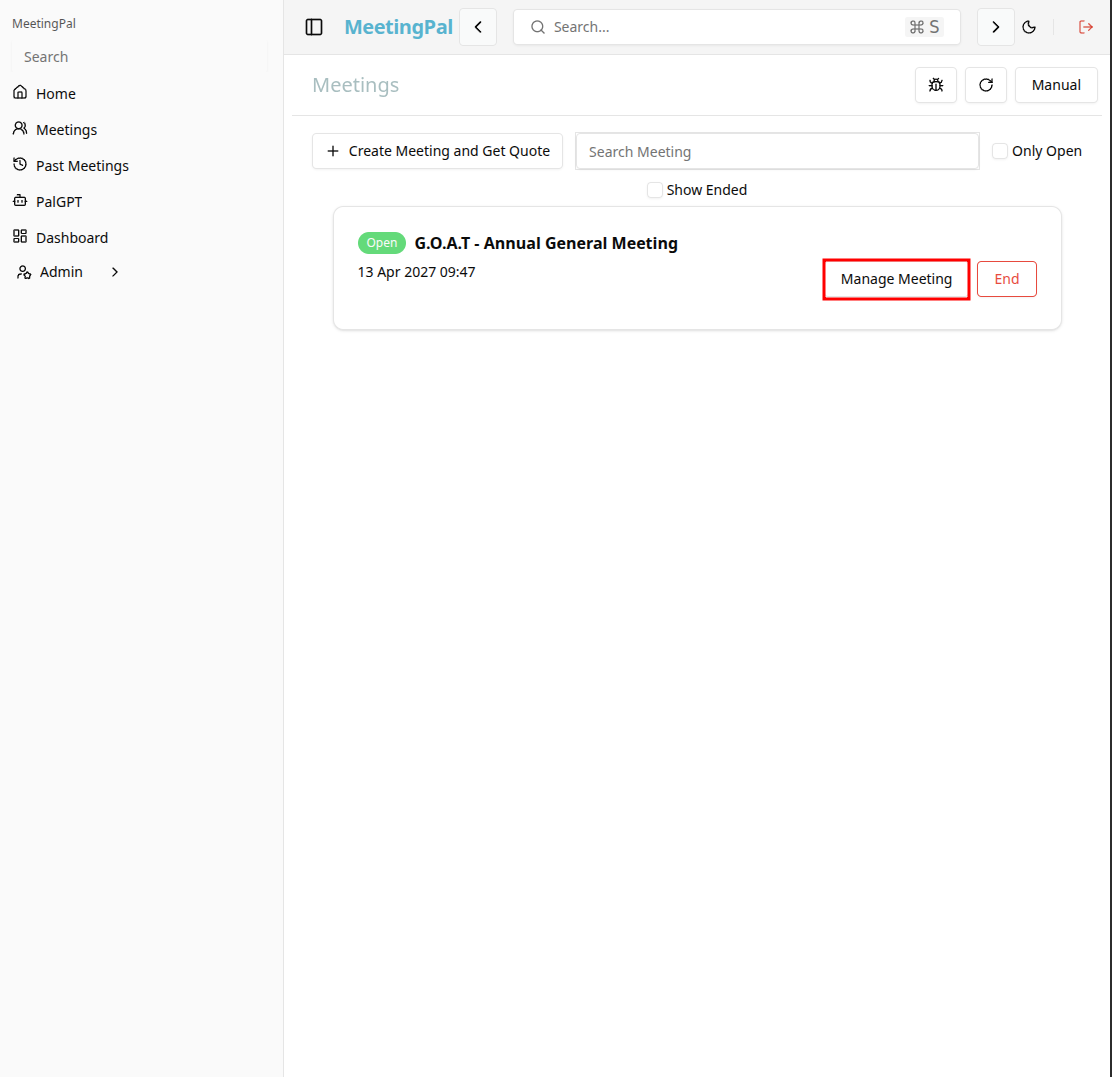
In the meetings page ,you will see all your meetings and the meetings that you are scheduled to attend.
Click on the 'Manage Meeting' button to begin editing the selected meeting.
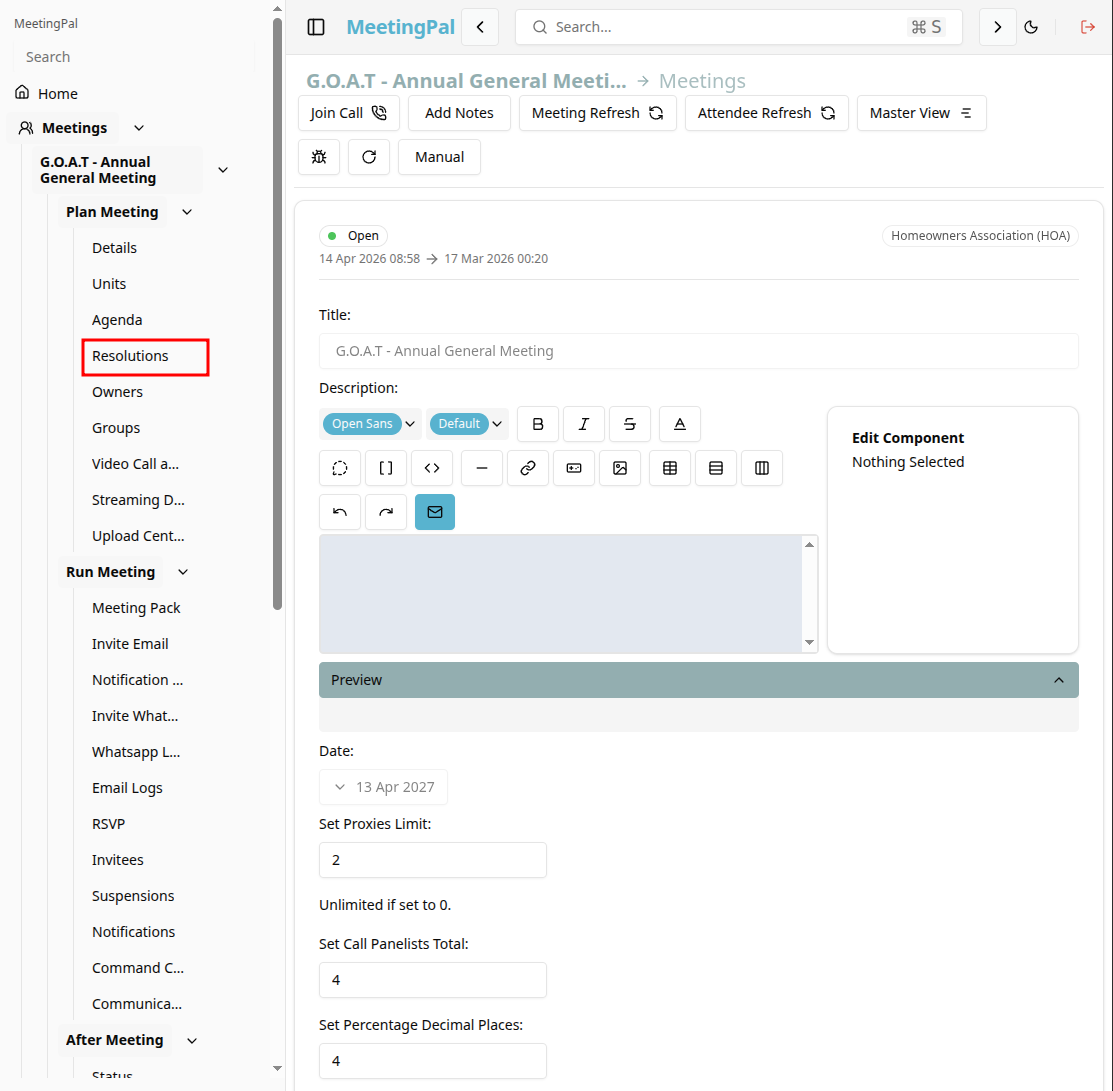
Open the Resolutions Tab
In the selected meeting’s dropdown menu, click Resolutions.
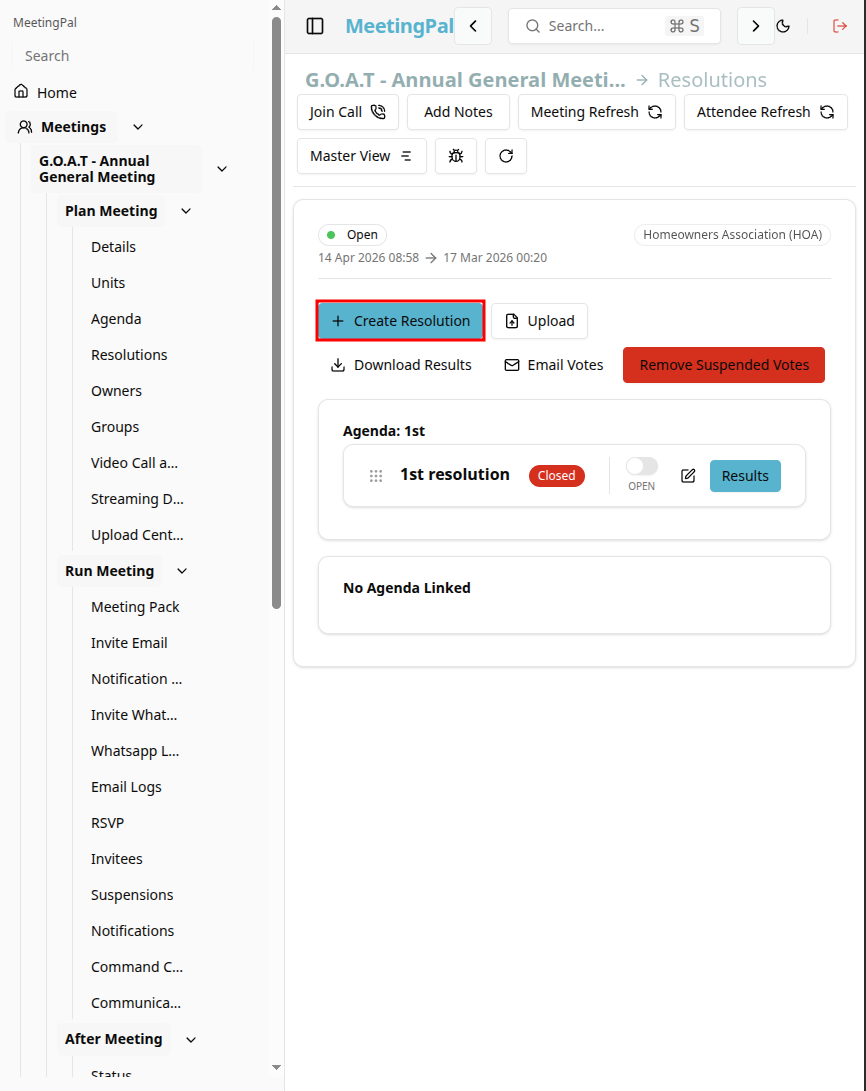
The Resolution Page will open, displaying the meeting resolution items.
Add a New Resolution Item
click the Create Resolution button.
A resolution item form or pop-up window will appear.
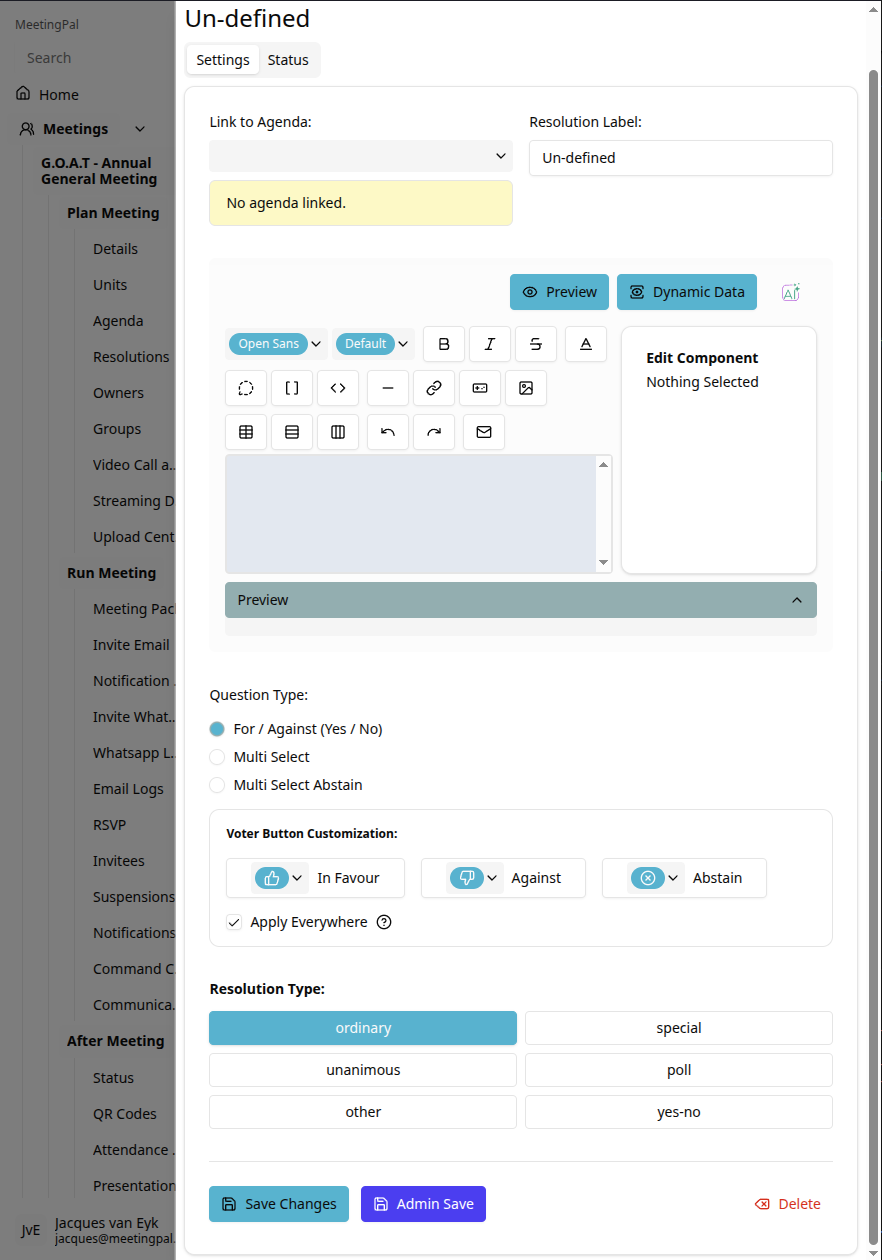
Enter Resolution Details
Complete the required information for the resolution item.
You may be required to enter:
- Resolution Title
- Resolution Text or Description
- Resolution Number or Sequence
- Voting Type
- Required Approval Percentage
- Presenter or Responsible Person
- Supporting Notes or Attachments
Ensure all information is accurate before saving.
Review the Resolution Item
After saving:
- Confirm the resolution appears under the correct agenda item.
- Verify that voting settings and permissions are correct.
- Ensure all attachments and supporting documents are visible.
- Test voting settings if required before the meeting begins.
Important Notes
Resolution items are typically linked to specific agenda items within a meeting.
Resolution items can usually be edited before voting begins.
Ensure all supporting documentation is uploaded before distributing meeting materials.