Attendance Register Tab
Access the Scheduled Meeting
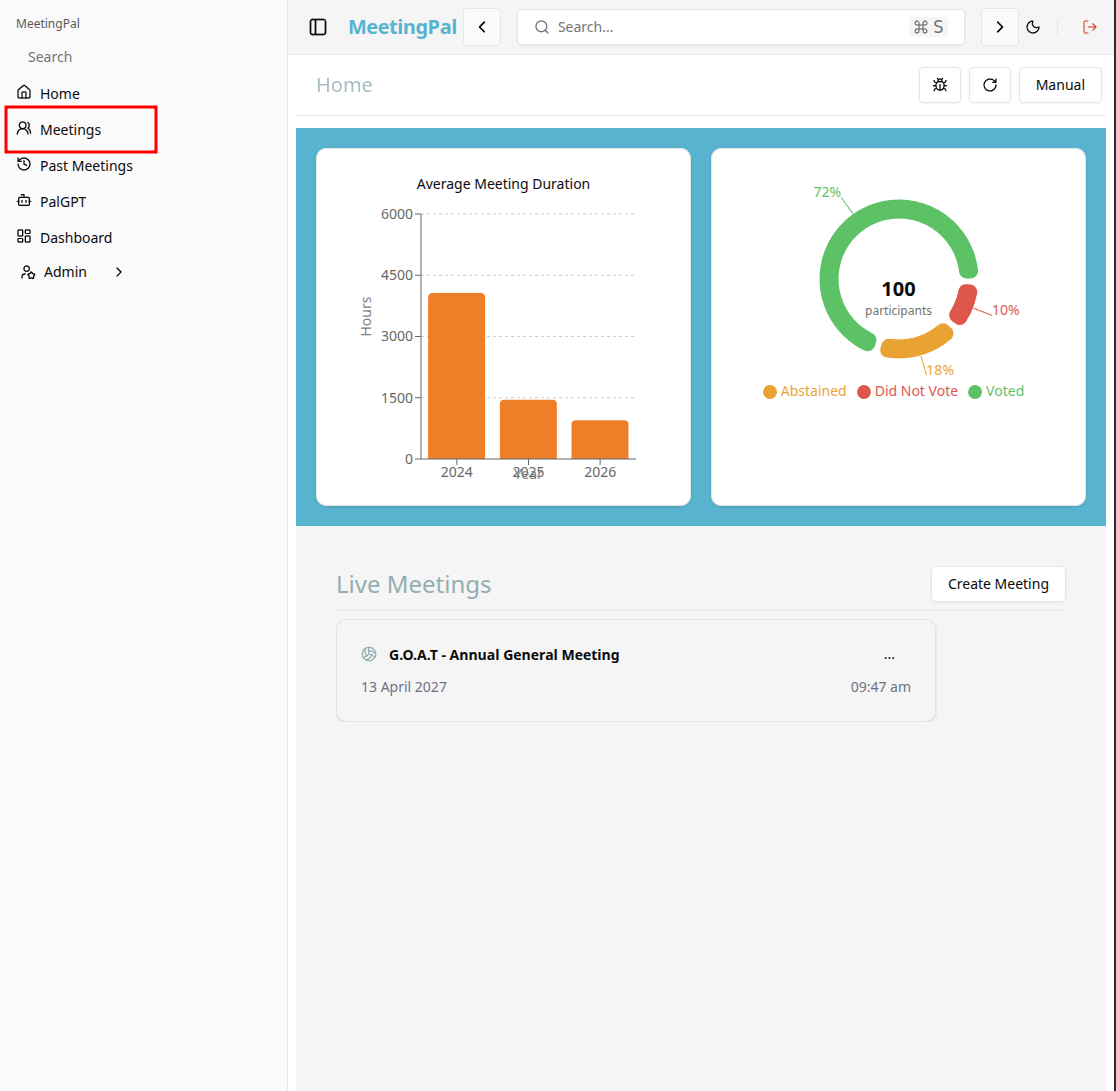
On the MeetingPal Home Page, locate the left-hand menu. Select Meetings.
Start editing the meeting
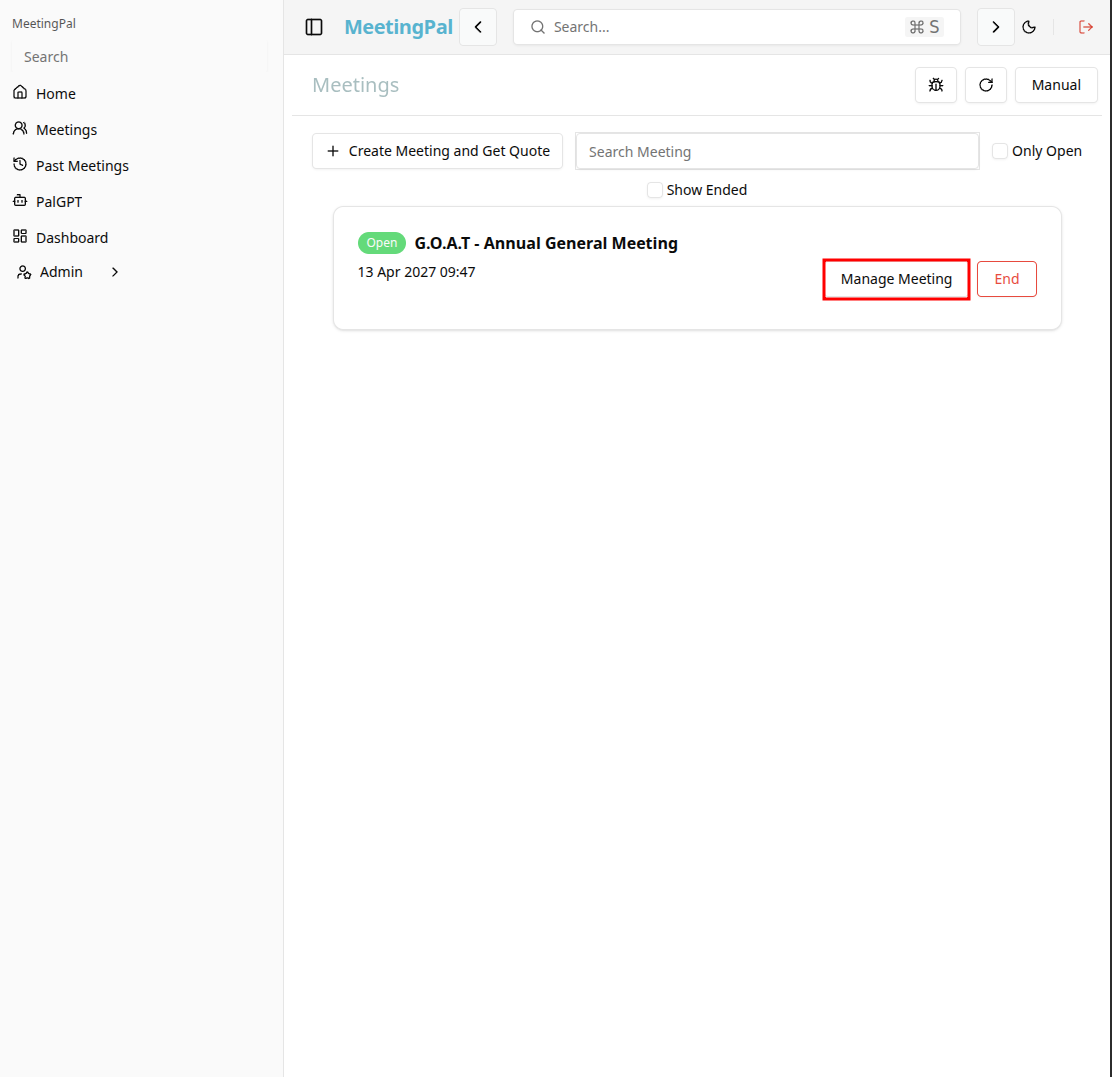
In the meetings page ,you will see all your meetings and the meetings that you are scheduled to attend.
Click on the 'Manage Meeting' button to begin editing the selected meeting.
Open the Attendance Register Tab
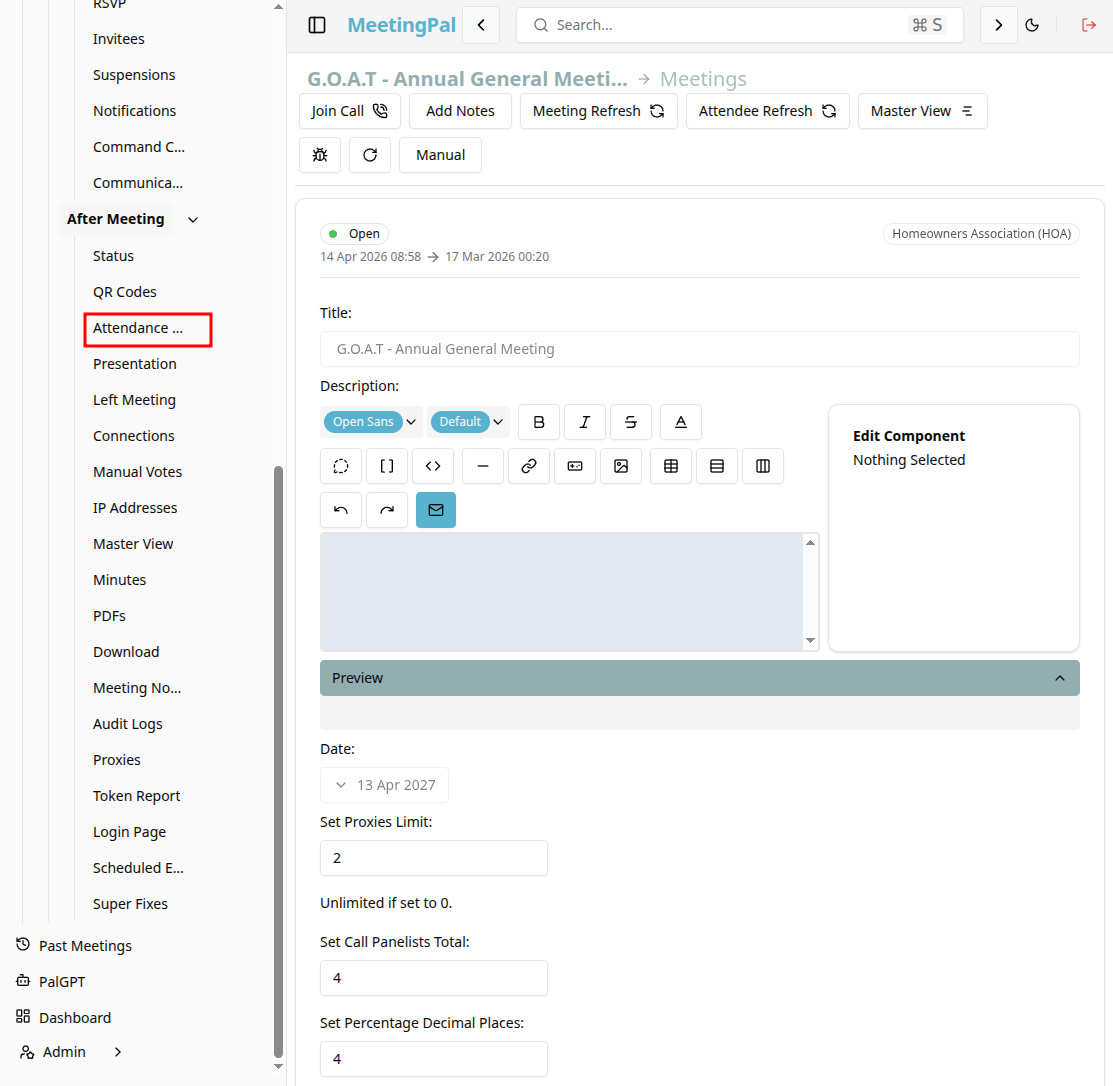
In the selected meeting’s dropdown menu, click Attendance Register.
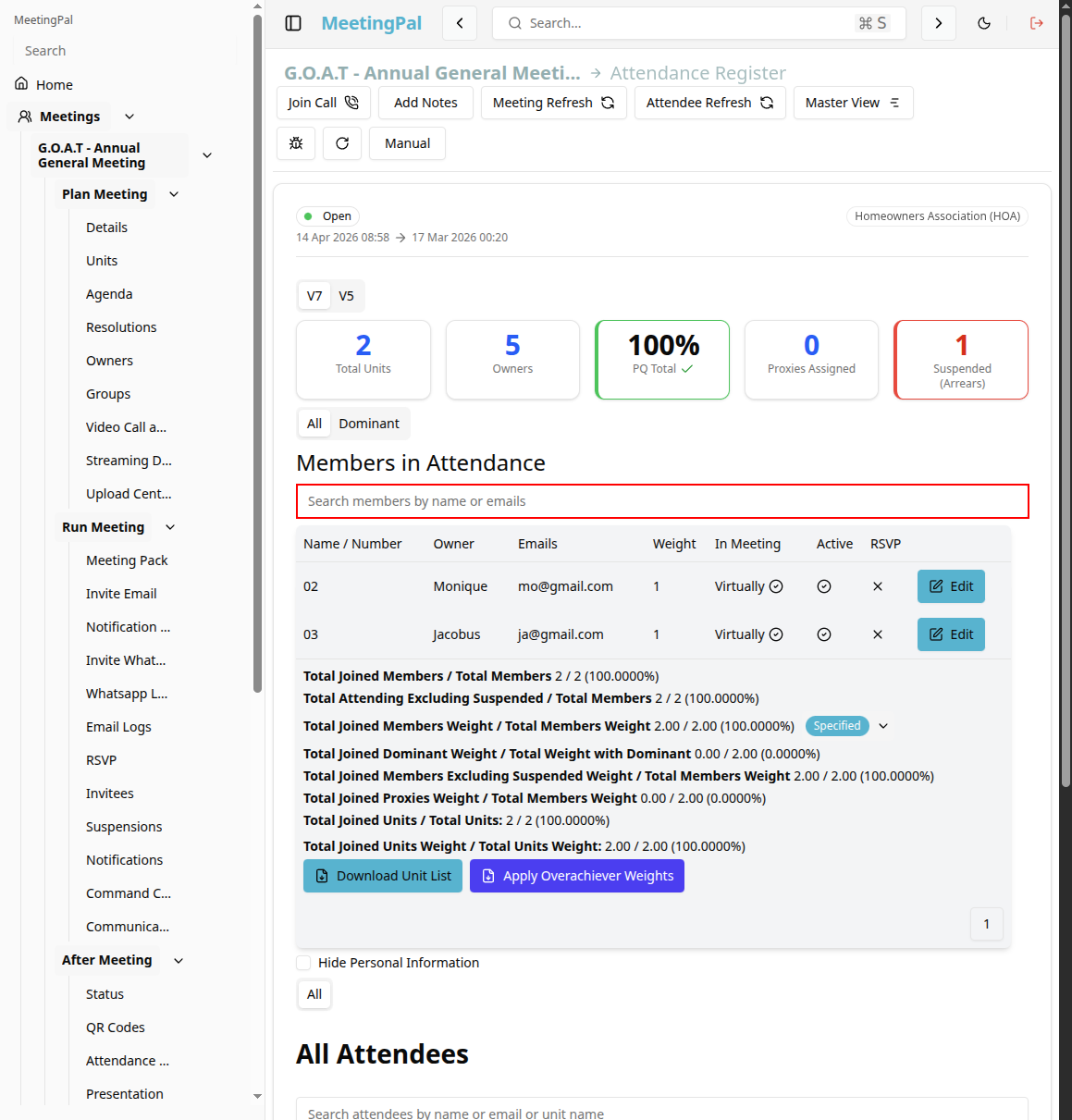
The Attendance Register page will open.
Review Attendance Status
Each attendee record may display information such as:
- Attendee Name
- Unit Number or Ownership Details
- Attendance Status
- Voting Weight
- Proxy Representation
Common attendance statuses include:
- Present
- Absent
- Proxy Present
- Online
Search and Filter the Register
Use the search bar and filters to locate specific attendees quickly.
You may be able to filter by:
- Attendance status.
- Group.
- Unit number.
- Voting eligibility.
- Proxy assignments.
Monitor Quorum
The Attendance Register may display live summaries such as:
- Units represented.
- Voting weight represented.
- Vote Weight
- Suspension Status
- Online Status
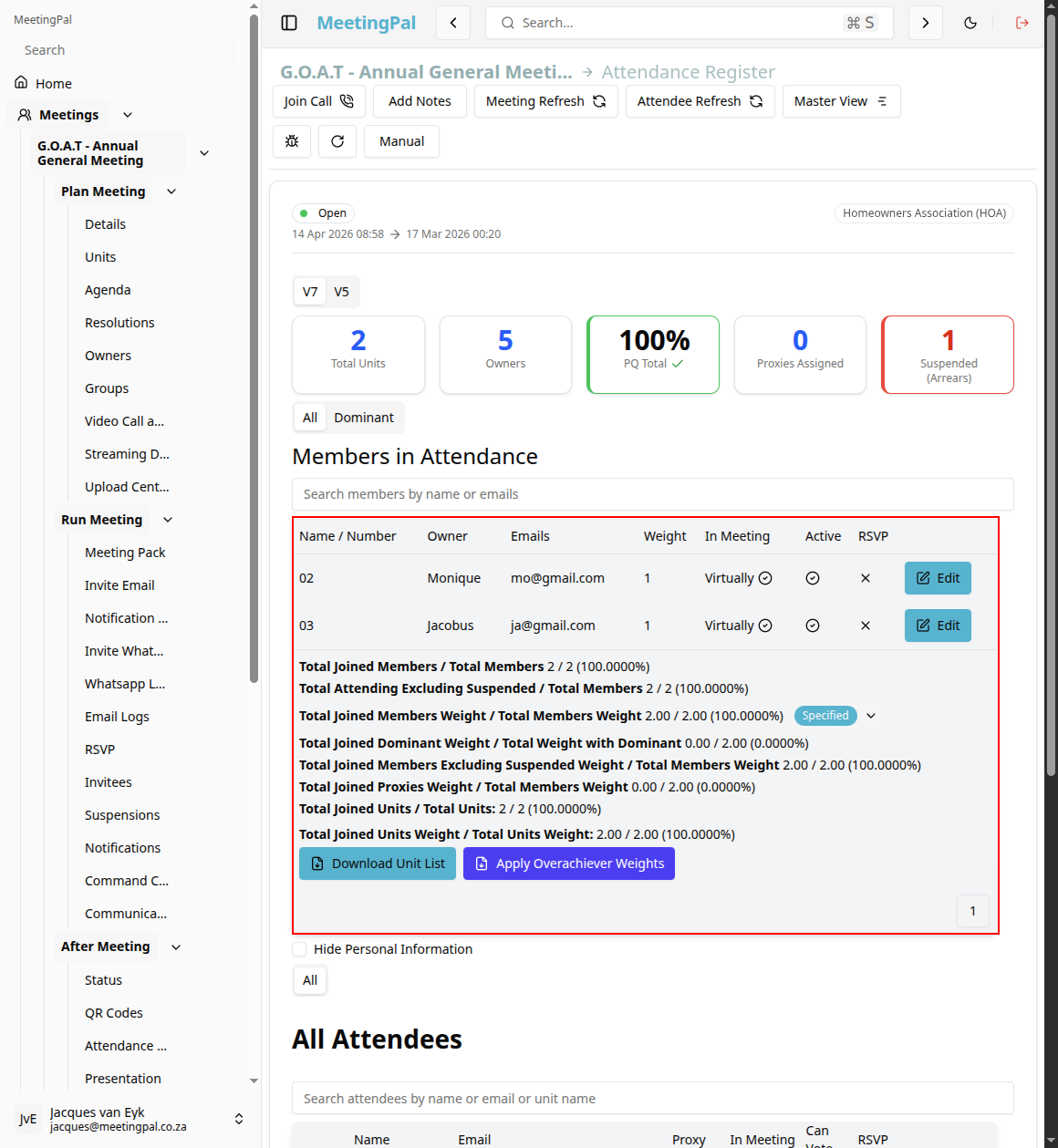
Use this information to confirm whether the meeting has met quorum requirements.
Common Uses for the Attendance Register
The Attendance Register is useful for:
- Confirming proxy representation.
- Setting Manual Voters
- Setting attendees as physical
- Setting Dominant Voters
- Setting Suspensions
- Viewing Invitation Links/ QR Codes
Important Notes
Attendance may be updated automatically when participants join online.
Manual adjustments may be required for in-person attendees.