Left Meeting Tab
Access the Scheduled Meeting
On the MeetingPal Home Page, locate the left-hand menu. Select Meetings.
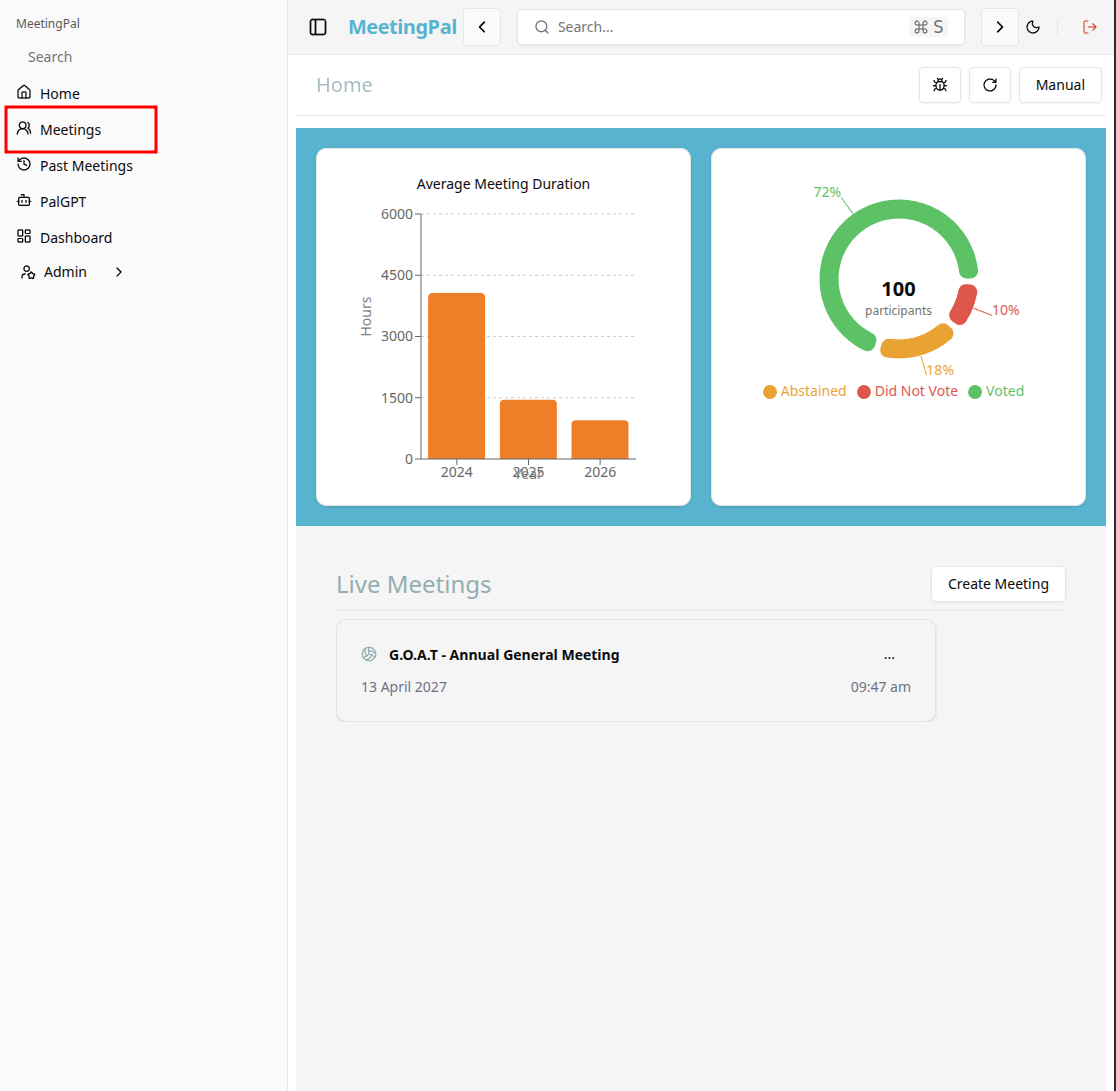
Start editing the meeting
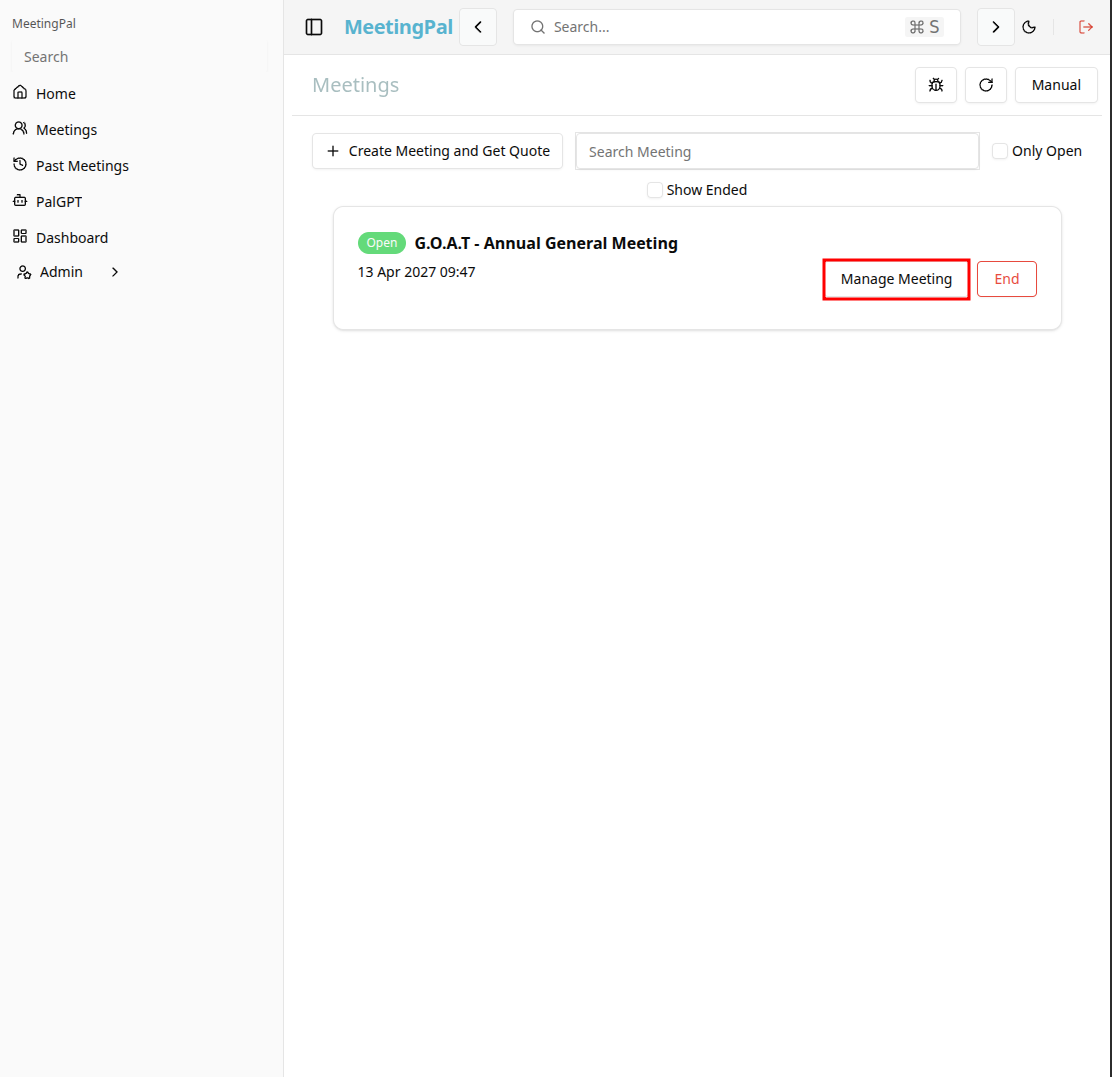
In the meetings page ,you will see all your meetings and the meetings that you are scheduled to attend.
Click on the 'Manage Meeting' button to begin editing the selected meeting.
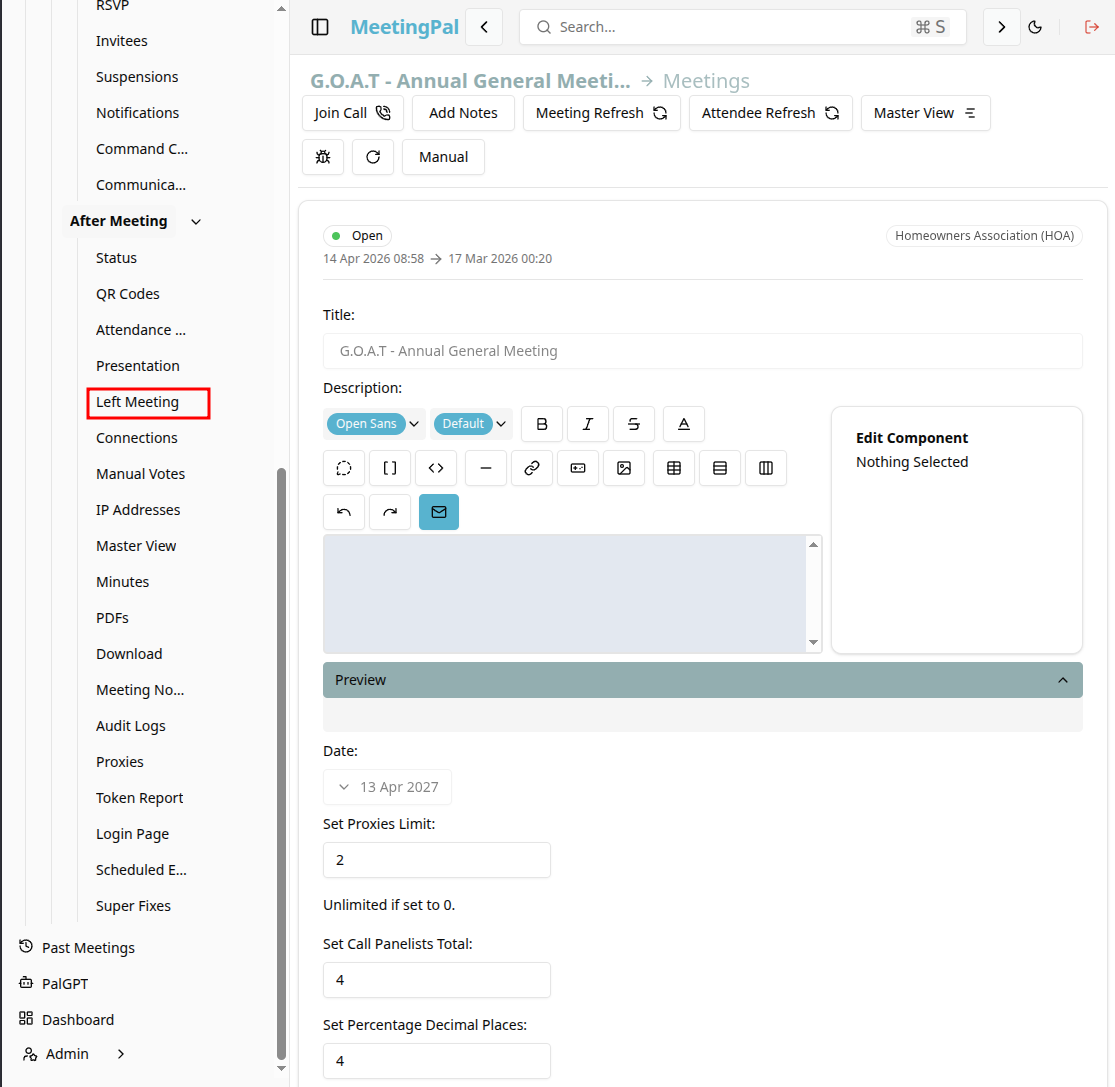
Open the Left Meeting Tab
In the selected meeting’s dropdown menu, click Left Meeting.
The Left Meeting page will open.
Understanding the Left Meeting Page
The Left Meeting page displays a list of attendees who joined the meeting and subsequently disconnected or left before the meeting concluded.
From this page, you can:
- View which attendees have left the meeting.
- Monitor attendance changes during the meeting.
- Identify attendees who may need assistance rejoining or joining.
Review Left Meeting Records
Each record may include information such as:
- Attendee Name
- Current Connection Status
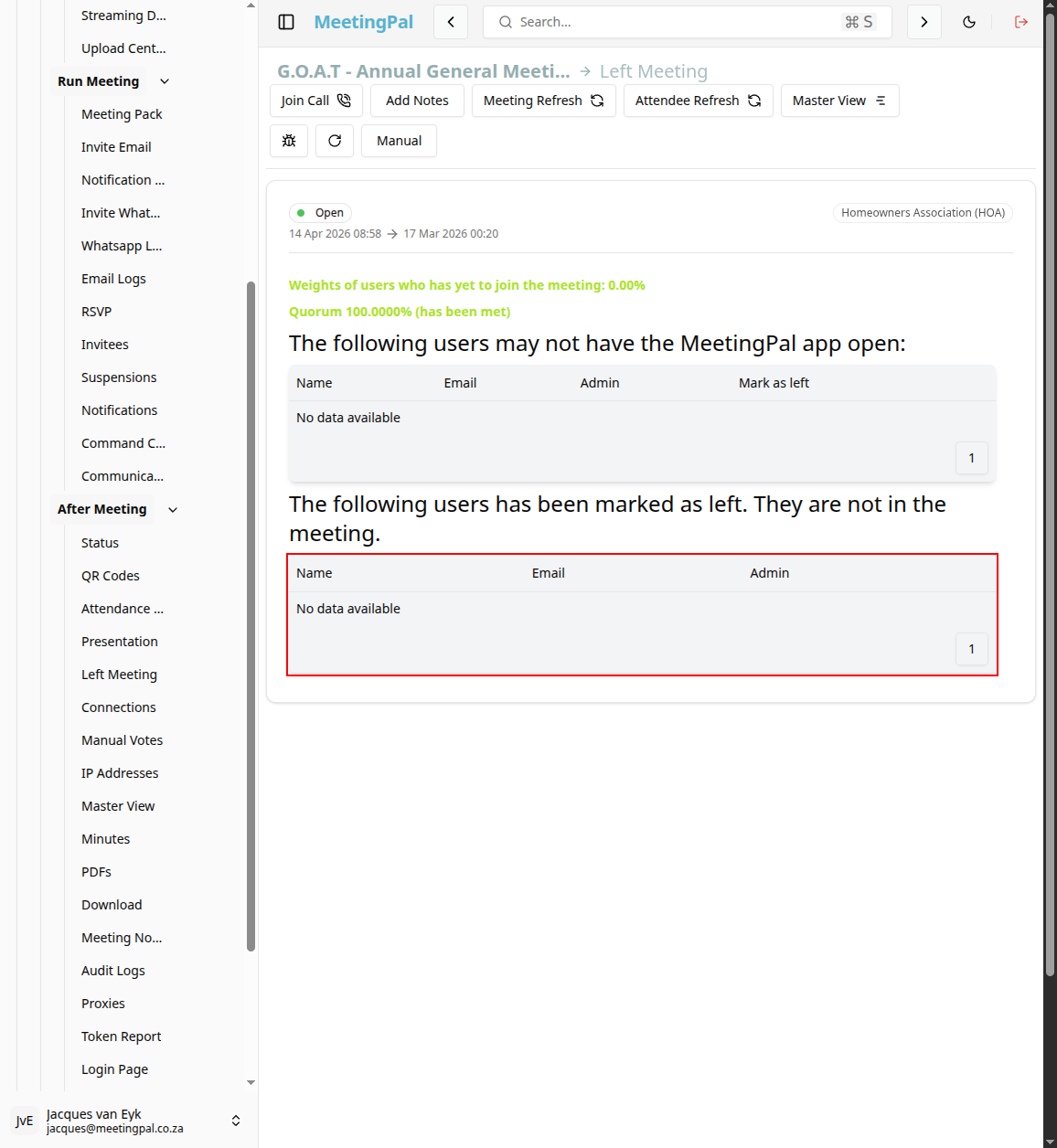
Use this information to monitor participation throughout the meeting.
Best Practices
Monitor the tab during important votes.
Follow up promptly if key participants disconnect.
Confirm quorum remains intact after departures.
Important Notes
Attendees who rejoin the meeting may no longer appear as inactive in this list.
The Left Meeting tab is especially useful for virtual and hybrid meetings.
Available details may vary depending on your organization’s configuration.