QR Codes Tab
Access the Scheduled Meeting
On the MeetingPal Home Page, locate the left-hand menu. Select Meetings.
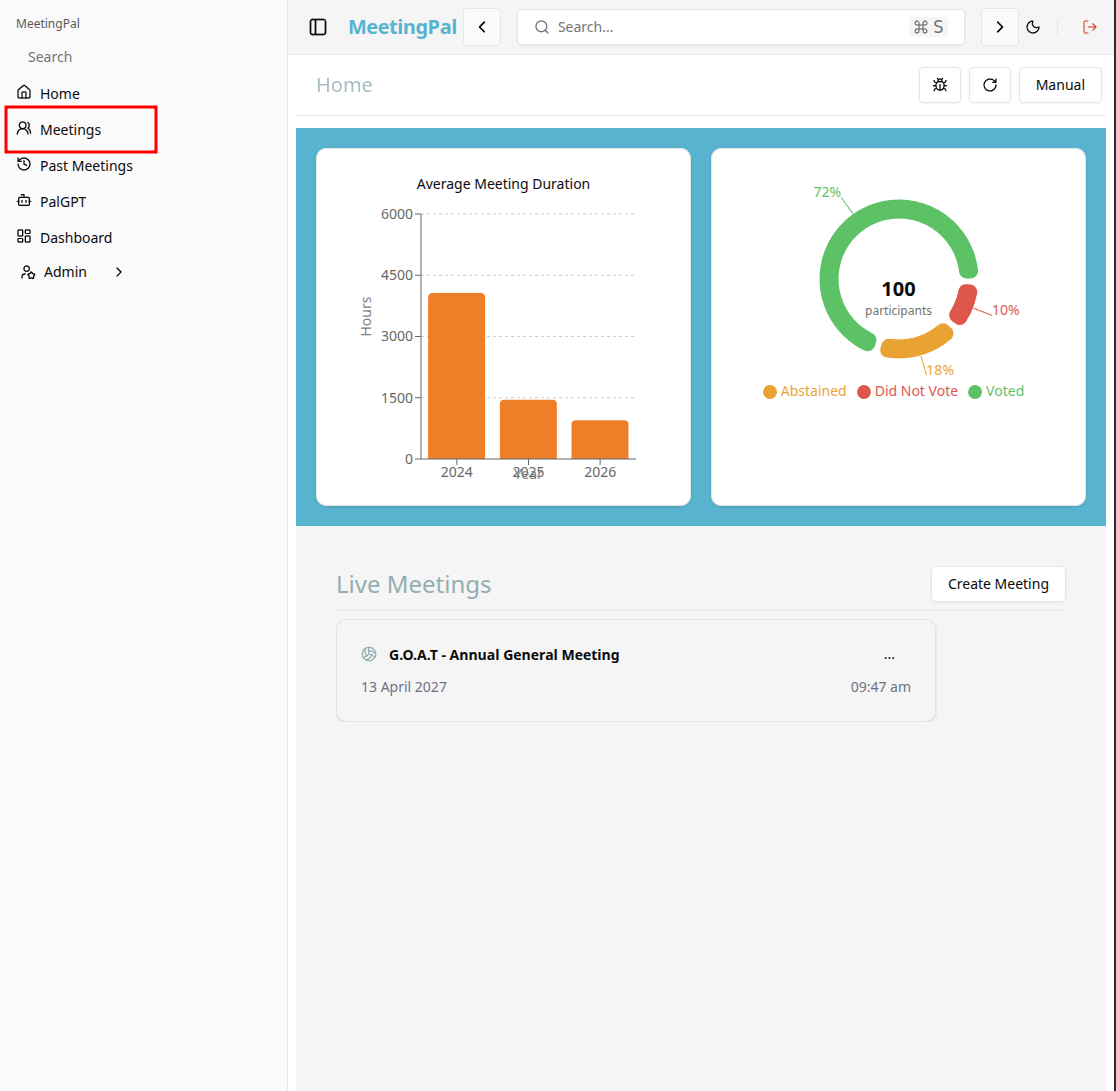
Start editing the meeting
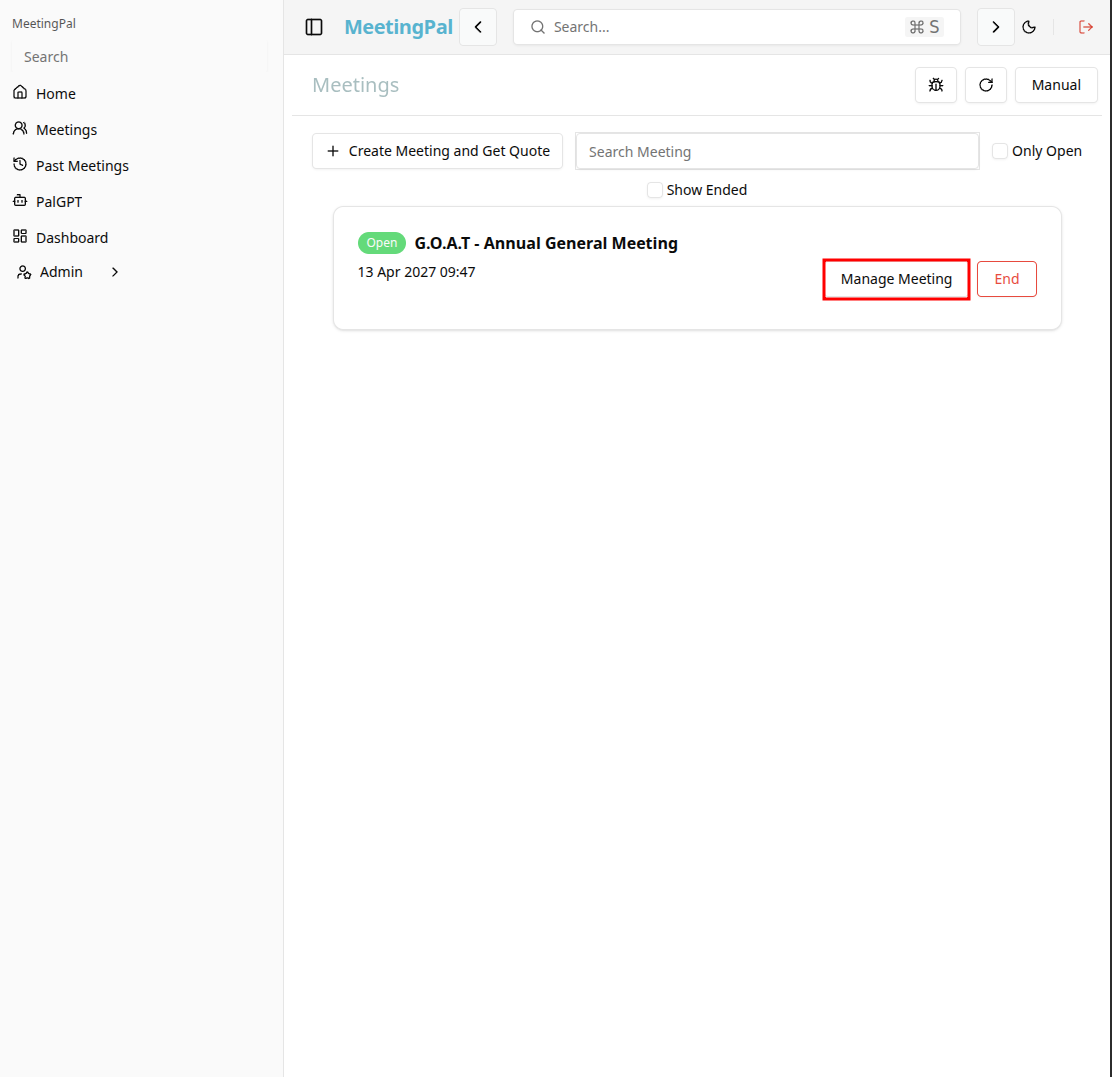
In the meetings page ,you will see all your meetings and the meetings that you are scheduled to attend.
Click on the 'Manage Meeting' button to begin editing the selected meeting.
Open the QR Codes Tab
In the selected meeting’s dropdown menu, click QR Codes.
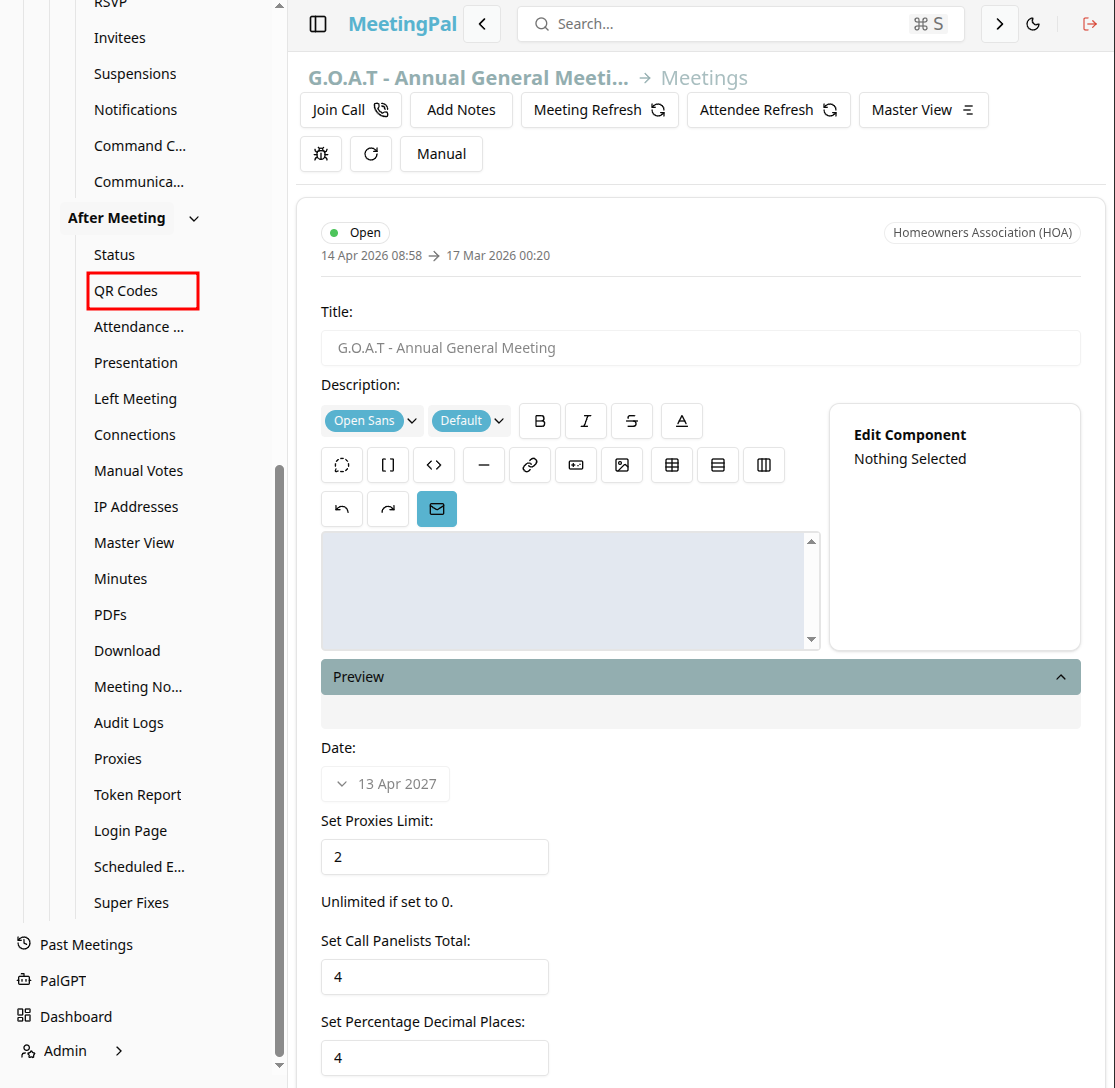
The QR Codes page will open.
Understanding the QR Codes Page
The QR Codes page allows you to generate and manage scannable codes that provide quick access to meeting resources.
You can use this page to:
Generate a QR code for the attendee login page. Share quick access to the meeting link. Provide easy check-in for attendees. Download or print QR codes for display.
Generate a QR Code
Click Get QR Code if a code has not already been created.
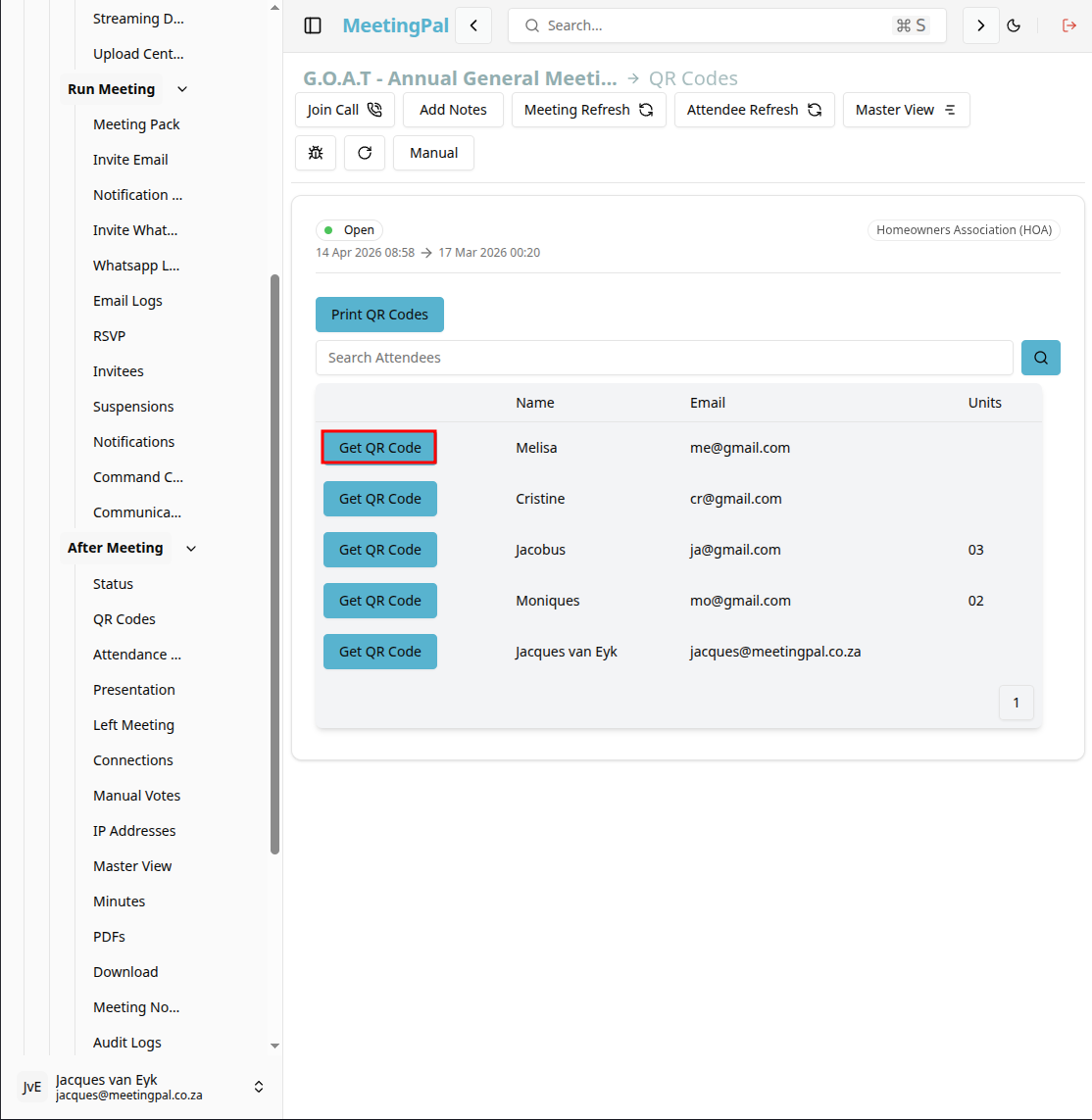
MeetingPal will create a QR code linked to the meeting’s attendee login page or selected resource.
Preview the QR Code
Once generated, click on the 'get QR code button and the QR code will be displayed in an pop-up.
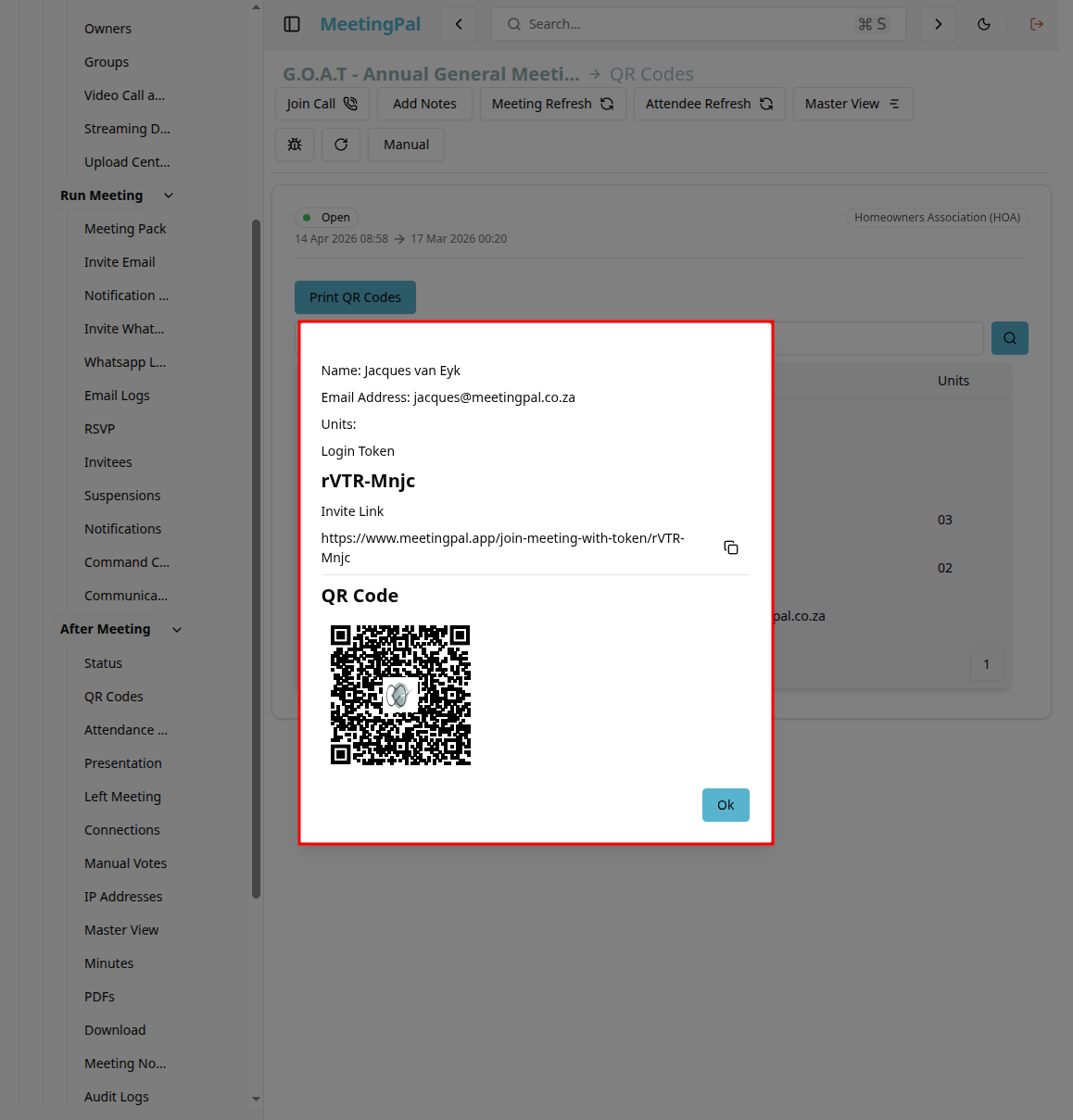
Use your mobile device to scan the code and verify that it opens the correct meeting link.
Print the QR Code
Click Print QR Code.
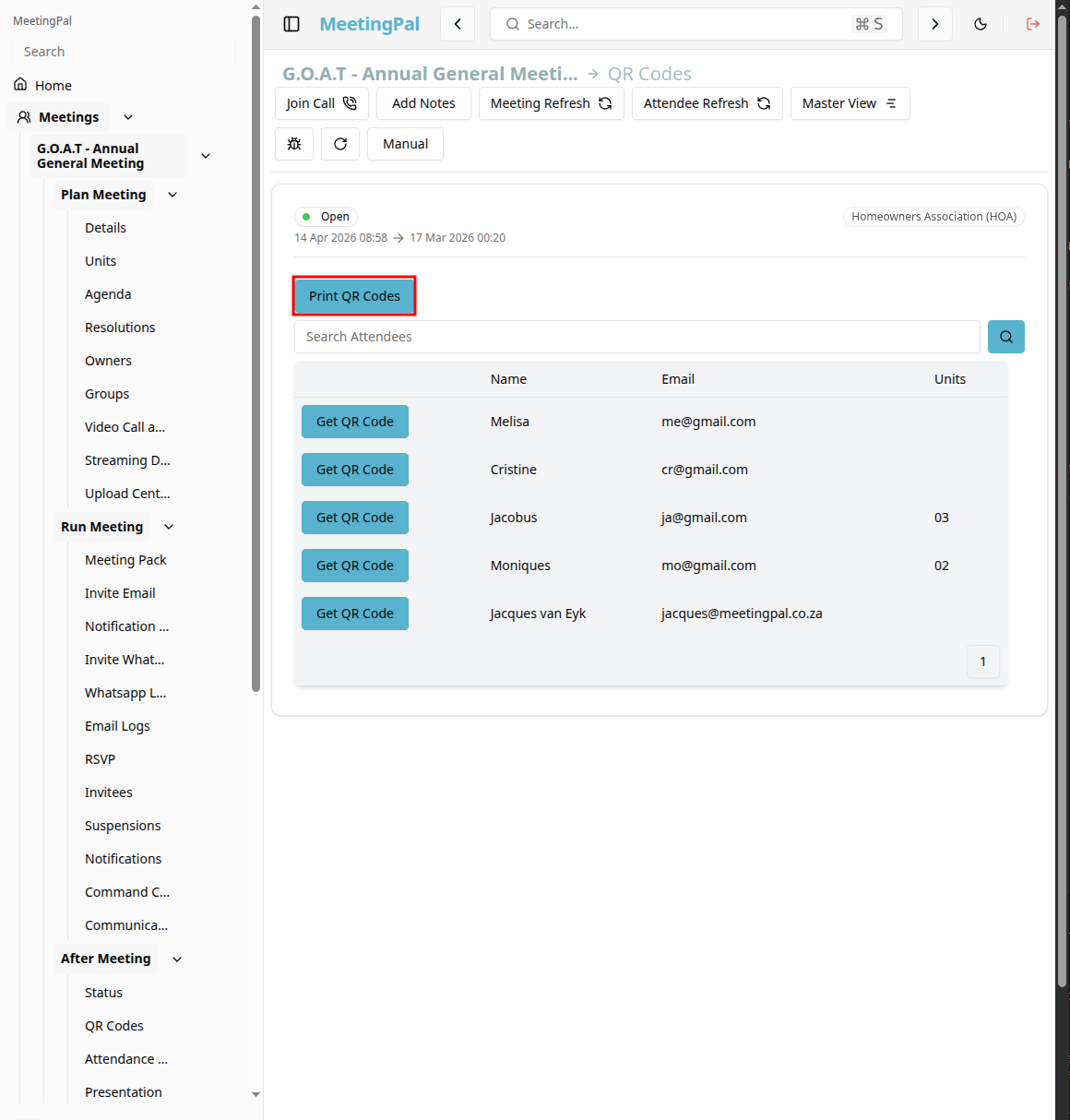
Save the QR code image or PDF to your computer.
Print the QR code for display at the meeting venue or include it in communications.
Share the QR Code
QR codes can be used in:
- Email invitations.
- WhatsApp messages.
- Presentation slides.
- Registration desks.
- Printed notices and agendas.
Attendees can scan the code with their smartphone camera to access the meeting quickly.
Common Uses for QR Codes
The QR Codes tab is useful for:
- Simplifying attendee login.
- Speeding up registration and check-in.
- Providing instant access to the meeting pack.
- Displaying links during presentations.
Best Practices
Test the QR code before distributing it.
Ensure printed codes are large enough to scan easily.
Place the code in well-lit areas.
Regenerate the code if the meeting link changes.
Important Notes
QR codes are specific to the selected meeting.
Anyone with access to the QR code may be able to open the linked meeting page, depending on security settings.
Regenerate the QR code if you update the underlying link.